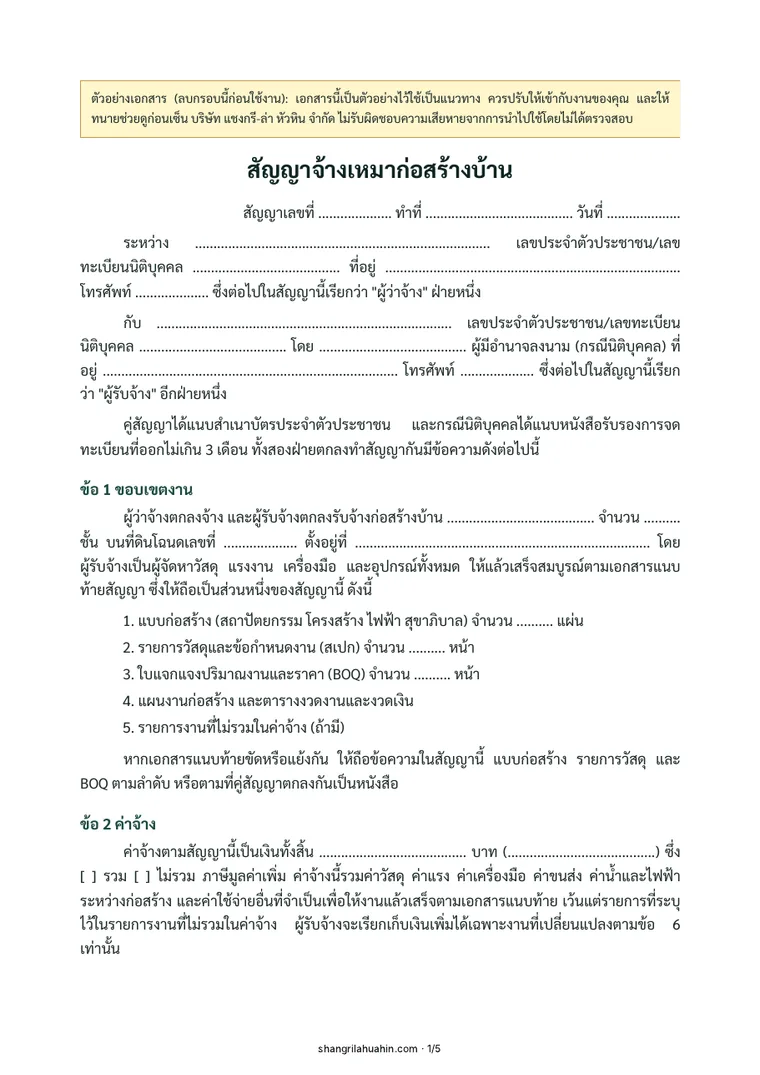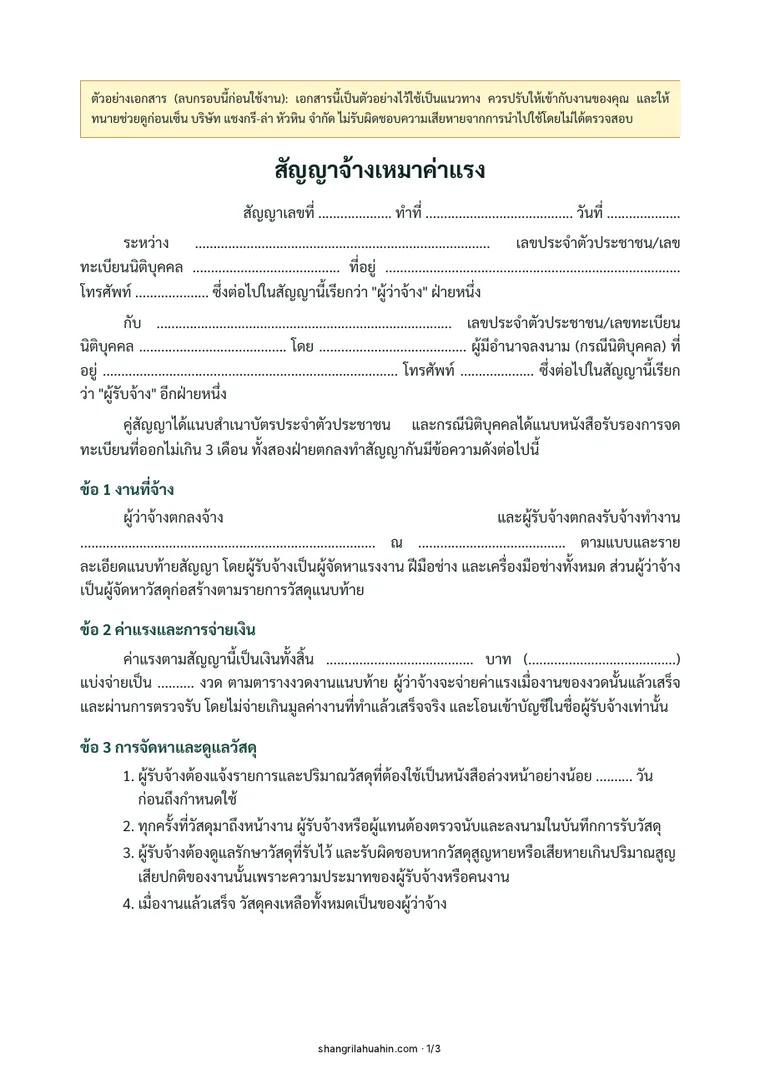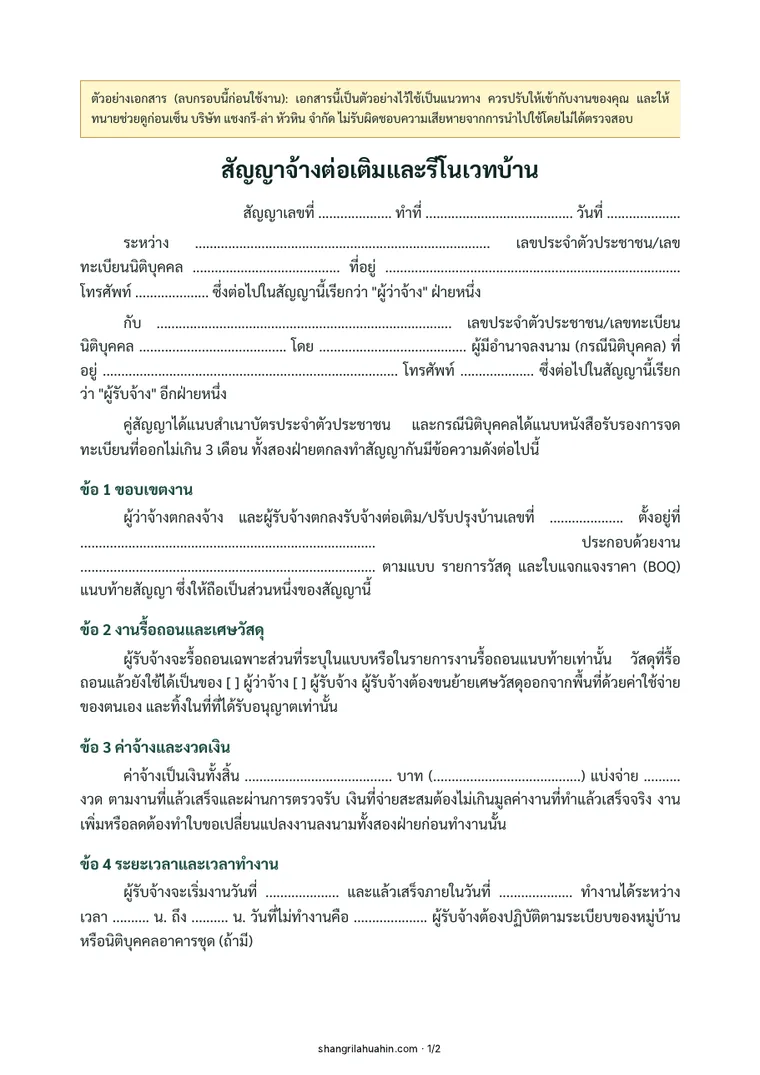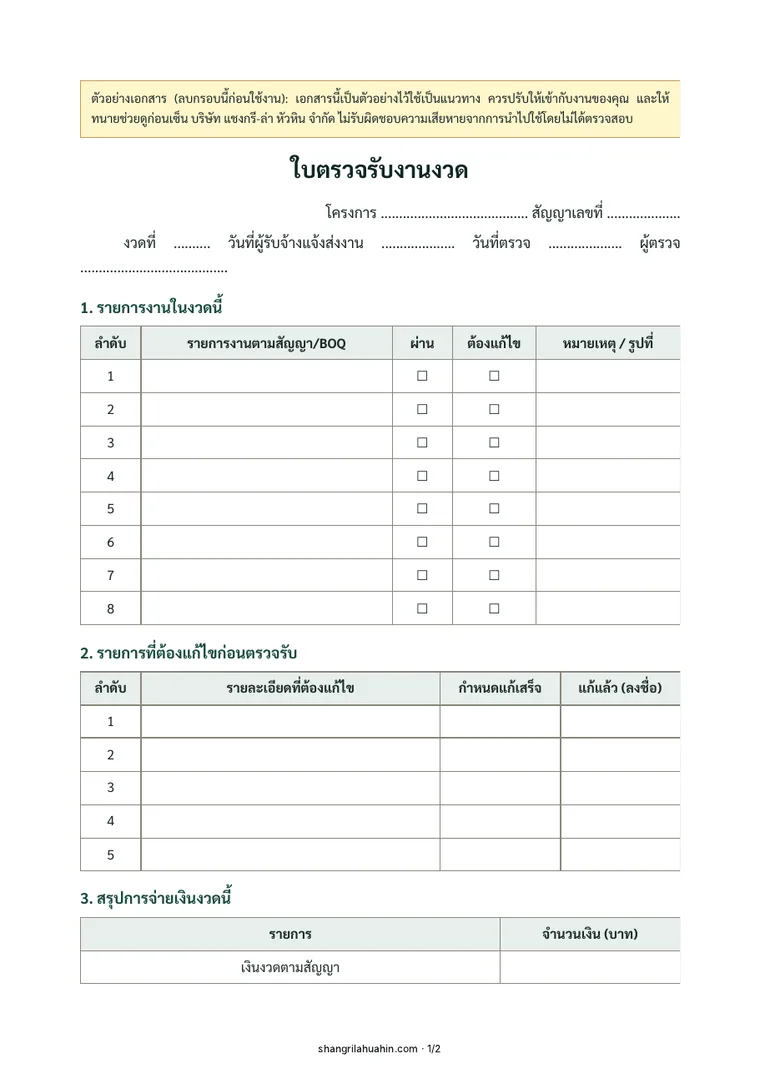
Free download, no sign-up

When to use it
You are getting prices from several contractors and want to compare them line by line.
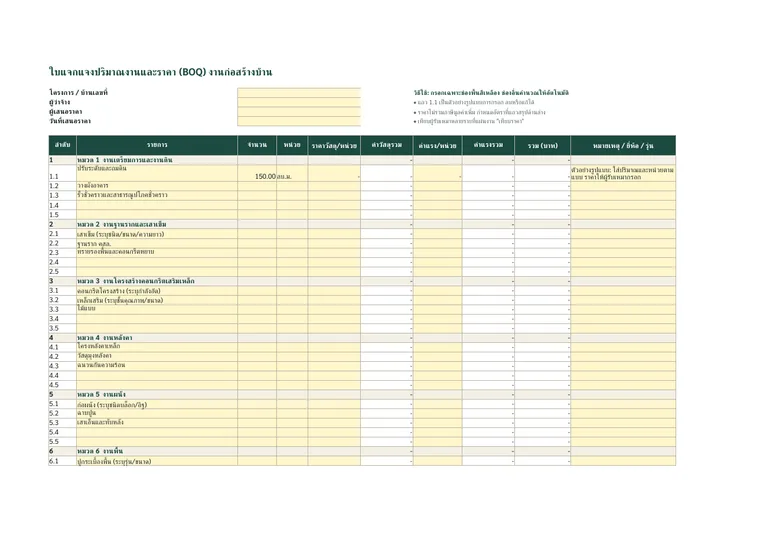
What is in this document
- 11 standard work groups for building a house
- Material and labour prices per unit kept separate
- Formulas for line, group, tax and net totals
- A summary sheet to compare 3 contractors
How to use it
- Open the file in Excel, Google Sheets or LibreOffice.
- Enter the quantities from the drawings, then send the same file to every contractor to price.
- Copy each group total into the "compare prices" sheet.
- Where group prices differ a lot, ask the contractor to explain before you decide.
Frequently asked questions
Which programs can open the BOQ file?
Microsoft Excel, Google Sheets and LibreOffice. The total formulas work in all of them.
Which cells do I fill in?
Only the yellow cells: item, quantity, unit, and material and labour price per unit. Everything else is calculated automatically.
Read more
- What is a BOQ, and how do you use it to compare contractors without surprise extras?
- House construction cost per square metre in 2026: real figures from 21 BOQs
- Building a rental apartment: cost per room from 4 real BOQs
- How to make your own house construction BOQ, with a free Excel template
- A full BOQ example for a single-storey 3-bedroom house
- What does it really cost to build a house in Thailand?
- How to market a small housing project
- How to cost a 10-house project and price it without losing money
- What does a 400,000–500,000 THB budget build? A real BOQ, category by category
- How much does it cost to build a house in Thailand? Every payment, from real BOQs
- Pile prices in Thailand: cost per metre and how many piles a house needs
- 9 free single-storey house plans, every cost itemised
- 12 free two-storey house plans, every cost itemised
- 8 free three-bedroom house plans, single and two storeys
- House plans by budget: 1, 2 and 3 million THB, real build prices
- Design and build: one team from the first sketch to handing you the keys
Planning to build? See every item before you decide.
Send your location, plans or photos and we will come back with an initial scope of work.